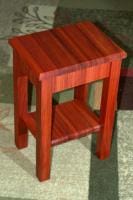
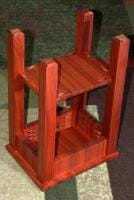
My dad wanted a footrest for when he sits at the computer and also a place to put books since the computer is next to the bed. The table is Approx 12x8 and 18 inches high. Using simple pockethole screws the table was very fast and easy to make.
You can post now and register later.
If you have an account, sign in now to post with your account.
Note: Your post will require moderator approval before it will be visible.




Recommended Comments
Join the conversation
You can post now and register later. If you have an account, sign in now to post with your account.
Note: Your post will require moderator approval before it will be visible.