
Skip to content
View in the app

A better way to browse. Learn more.

Wood Talk Online

A full-screen app on your home screen with push notifications, badges and more.

To install this app on iOS and iPadOS
  1. Tap the Share icon in Safari
  2. Scroll the menu and tap Add to Home Screen.
  3. Tap Add in the top-right corner.
To install this app on Android
  1. Tap the 3-dot menu (⋮) in the top-right corner of the browser.
  2. Tap Add to Home screen or Install app.
  3. Confirm by tapping Install.

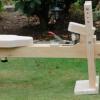
Miter Bench for the New Shop
Featured Replies

That is a really nice storage solution Kev!! Especially considering it was "scrap" walnut LOL...I've seen kitchens that don't look that good.

Regarding hardware if you haven't already check out WWhardare.com in St Cloud MN. I but most of mine there and have been really happy with them over the years.

Way to go Kev.... Remember you can only make decisions about your shop, You can make suggestions about others.

But it’s only “shop furniture”! SWEET! 

Kev-

Great videos as always. Thanks for taking the time to share this build with everyone!

For your future hinge/slide/hardware needs....

I have been purchasing my Blum items from

https://www.woodworkerexpress.com/

Build.com also has a good selection.

I have also bought from https://www.cshardware.com/ though I tend to go there as a last resort as I find their prices a bit higher.

Thanks again for the great build videos!

  • Author
On 1/13/2019 at 8:44 AM, Alan G said:

Kev-

Great videos as always. Thanks for taking the time to share this build with everyone!

For your future hinge/slide/hardware needs....

I have been purchasing my Blum items from

https://www.woodworkerexpress.com/

Build.com also has a good selection.

I have also bought from https://www.cshardware.com/ though I tend to go there as a last resort as I find their prices a bit higher.

Thanks again for the great build videos!

Thanks Alan, I will definitely check them out!

Join the conversation

You can post now and register later. If you have an account, sign in now to post with your account.
Note: Your post will require moderator approval before it will be visible.

Guest
Reply to this topic...

Who's Online (See full list)

  • There are no registered users currently online

Forum Statistics

  • Total Topics 32.1k
  • Total Posts 437.6k

Member Statistics

  • 26,010 Total Members
  • 3,644 Most Online
  • Lolli4 Newest Member ·

Account

Navigation

Search

Search

Configure browser push notifications

Chrome (Android)
  1. Tap the lock icon next to the address bar.
  2. Tap Permissions → Notifications.
  3. Adjust your preference.
Chrome (Desktop)
  1. Click the padlock icon in the address bar.
  2. Select Site settings.
  3. Find Notifications and adjust your preference.