
Skip to content
View in the app

A better way to browse. Learn more.

Wood Talk Online

A full-screen app on your home screen with push notifications, badges and more.

To install this app on iOS and iPadOS
  1. Tap the Share icon in Safari
  2. Scroll the menu and tap Add to Home Screen.
  3. Tap Add in the top-right corner.
To install this app on Android
  1. Tap the 3-dot menu (⋮) in the top-right corner of the browser.
  2. Tap Add to Home screen or Install app.
  3. Confirm by tapping Install.

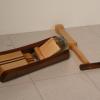
Radio Alarm saw

Featured Replies

I'd bet that the iPhone 'helped' with that spelling, but still really funny.

That's a great price for a radio alarm saw. I'm sure it will get snapped up right away. Lol

Perfect.


Tampa Craigslist has an ad currently for a Louis Vitton Planer that keeps showing up in my searches. You know, a planer. For keeping track of your appointments and stuff. And thicknessing your lumber.


It's a nice feature. All of the other planers I look at don't have places to write your appointments down on them.

Philosophical point:

After you posted, I shared the ad on FaceBook. First guy to reshare posted with this question; Would you buy from someone who listed it this way? Would you trust the tool?

If I refused to buy from unintelligent people who rarely know how to spell I wouldn't have any tools.  Lowes... HF... Home Depot...

Perfect.


Tampa Craigslist has an ad currently for a Louis Vitton Planer that keeps showing up in my searches. You know, a planer. For keeping track of your appointments and stuff. And thicknessing your lumber.


It's a nice feature. All of the other planers I look at don't have places to write your appointments down on them.


Bob, that planer is used with your clip board. Draw out a new calendar on the board, each month, and at the end of the month you erase it by taking off 1/32" of wood. 

Join the conversation

You can post now and register later. If you have an account, sign in now to post with your account.
Note: Your post will require moderator approval before it will be visible.

Guest
Reply to this topic...

Who's Online (See full list)

  • There are no registered users currently online

Forum Statistics

  • Total Topics 32.1k
  • Total Posts 437.6k

Member Statistics

  • 26,010 Total Members
  • 3,644 Most Online
  • Lolli4 Newest Member ·

Account

Navigation

Search

Search

Configure browser push notifications

Chrome (Android)
  1. Tap the lock icon next to the address bar.
  2. Tap Permissions → Notifications.
  3. Adjust your preference.
Chrome (Desktop)
  1. Click the padlock icon in the address bar.
  2. Select Site settings.
  3. Find Notifications and adjust your preference.