
Skip to content
View in the app

A better way to browse. Learn more.

Woodworking Forums & Project Advice | Wood Talk Online

A full-screen app on your home screen with push notifications, badges and more.

To install this app on iOS and iPadOS
  1. Tap the Share icon in Safari
  2. Scroll the menu and tap Add to Home Screen.
  3. Tap Add in the top-right corner.
To install this app on Android
  1. Tap the 3-dot menu (⋮) in the top-right corner of the browser.
  2. Tap Add to Home screen or Install app.
  3. Confirm by tapping Install.

Small Addition To My Tool Chest
Featured Replies

  • Popular Post

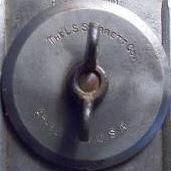
I made an attachment for my Starrett combination square heads and my LN side rabbet planes, here's a short video:

For those of you who haven't seen my tool chest build, here's a link:


Looks like a perfect fit. That tool box leaves me with some tool envy, and a lot of tool box envy. I need a better place to store my tools than just laying around my shop.

  • Author
  • Popular Post

Been doing more tool fitting over the weekend in order to accommodate my dividers and a few more tools:

20200712_152945.thumb.jpg.abd128cb8251607eb6f299c27f348d8a.jpg

20200712_153023.thumb.jpg.118dfbcddddf9b84d41c9cd0faa7647b.jpg

20200712_153123.thumb.jpg.1422ad263fcc021a773c0f3ae878aa0a.jpg

What is the object on bottom left that looks like a center punch but has a spiral on the outside? 

  • Author
10 hours ago, Coop said:

What is the object on bottom left that looks like a center punch but has a spiral on the outside? 

That's just a gear from a broken spinning reel I took apart a couple of years ago. BTW the tool is not a center punch, it's  a scriber I use as an awl,  and that gear serves as a protective cap for now.

7 hours ago, Immortan D said:

That's just a gear from a broken spinning reel I took apart a couple of years ago. BTW the tool is not a center punch, it's  a scriber I use as an awl,  and that gear serves as a protective cap for now.

Fooled me. I was guessing a really fancy branding / stamping tool.

  • 1 month later...
  • Author
  • Popular Post

A scrap bin project: I made an attachment for the drill bits I use the most. It rests on one of the side handles of the chest.

20200823_180635.thumb.jpg.bc9ec4c9f056d41f8e7ae8af3b2e4185.jpg

The countersink bits tray slides out so the bits can be removed.

20200823_180756.thumb.jpg.d73f77fb08ca636b65d3c77686726f6a.jpg


That's great.  Personalizing our arsenals for the way that we work makes working a pleasure.

  • Author
  • Popular Post

I made a quick and dirty rack for my Japanese saws. It's temporary hanging from the lid's handle just for the pic. I will probably attach it somehow to the back of the chest.

20200830_232156.thumb.jpg.b852627de5f45ef9ec016094a13be9a9.jpg


  • Author
  • Popular Post

One can never have enough storage space, so I made a box that replaces the shelf where my #3 and #4 used to be. Those planes will now sit on top of this new box.

20200906_184407.thumb.jpg.bfaf7774a5b1ef9cbf59555b2ce28dad.jpg

Now I have to make the top lid and I'm not sure how to do it. If I use a single piece of wood I'm pretty sure it's going to warp (the material is a bit over 1/4" thick and it will have a 1/8" rabbet all around).

This is an awesome tool chest. All of the small additions are interesting and add to the great work on this project.

I can't remember, is this something that is light enough to be able to carry or is it just an immovable storage chest? it looks  like it has a good amount of heft to it.

  • Author
2 minutes ago, Chestnut said:

This is an awesome tool chest. All of the small additions are interesting and add to the great work on this project.

I can't remember, is this something that is light enough to be able to carry or is it just an immovable storage chest? it looks  like it has a good amount of heft to it.

It is very heavy and meant to be a stationary cabinet. If I remove all the large planes from the "tunnel" I can move it myself when I have to.

  • 3 years later...
  • Author
  • Popular Post

I 've been doing more small modifications to my tool chest to accommodate more tools and also improve on some of the existing parts.

I redesigned the block plane section making room for a mallet and a marking gage:

20240408_213512.thumb.jpg.cfa08e8894e76487fc4db00d545e5e7d.jpg 

20240408_213546.thumb.jpg.8982df58de5b4a8ecd33972063380d09.jpg

The tools on the left side of the tunnel are now sitting on a ramp. 

20240408_213325.thumb.jpg.b15e8586184d76c24298f40caff84829.jpg

So now there's enough extra space on the right side to store my long files and rasps under the router planes:

20240408_213403.thumb.jpg.8767c511cb7d317f8c824668b593bd87.jpg

Impressive. Thanks for bumping this.

Glad this thread got bumped; I'm "fairly" new here and would've missed it otherwise.

Has me wondering if the Studley tool chest was patiently built up in the same manner; standing in line to buy the final wall poster here too!  ^_^    

  • Author
  • Popular Post
On 4/10/2024 at 12:31 AM, Botch said:

Glad this thread got bumped; I'm "fairly" new here and would've missed it otherwise.

Has me wondering if the Studley tool chest was patiently built up in the same manner; standing in line to buy the final wall poster here too!  ^_^    

Nah I'd need 2 lifetimes to reach Studley level haha. And a lot of help from some AI...

But when I have no project in mind I always find something to tweak in my tool chest. Beats watching the crap on TV.

Join the conversation

You can post now and register later. If you have an account, sign in now to post with your account.
Note: Your post will require moderator approval before it will be visible.

Guest
Reply to this topic...

Forum Statistics

  • Total Topics 32.1k
  • Total Posts 437.6k

Member Statistics

  • 26,010 Total Members
  • 3,644 Most Online
  • Lolli4 Newest Member ·

Account

Navigation

Search

Search

Configure browser push notifications

Chrome (Android)
  1. Tap the lock icon next to the address bar.
  2. Tap Permissions → Notifications.
  3. Adjust your preference.
Chrome (Desktop)
  1. Click the padlock icon in the address bar.
  2. Select Site settings.
  3. Find Notifications and adjust your preference.